
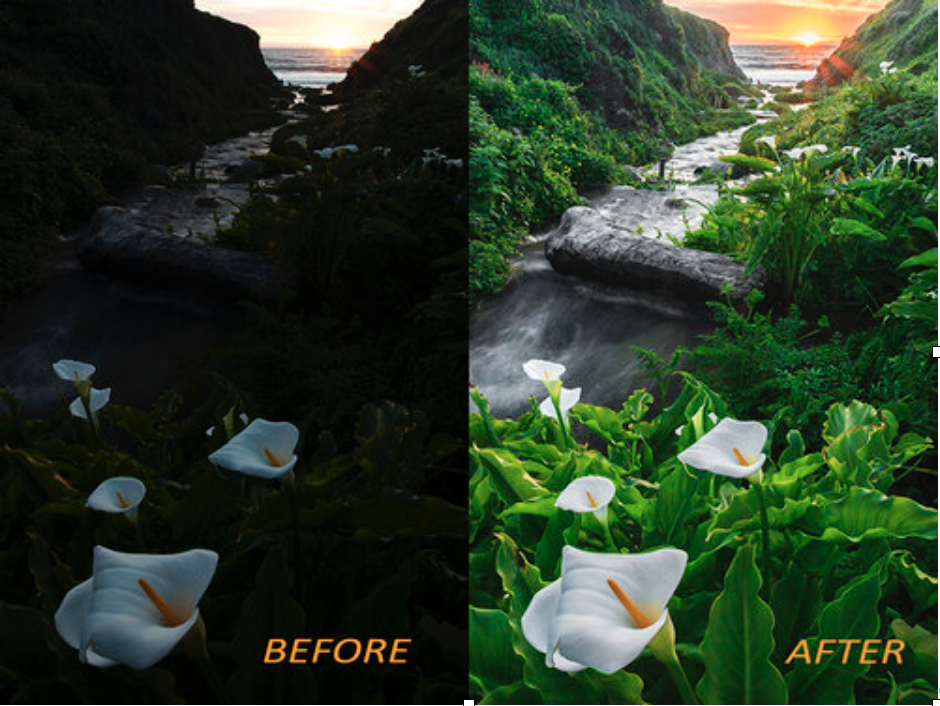
Adobe Lightroom for Photographers
When
Fridays, Sept 11 – Oct 2 2026
1 – 3:30 PM
Format
In-Person
Cost
$250
Class number
49594
Fall 2026 registration opens: August 15th, 10 AM
Priority registration for scholarship recipients: August 12th, 10 AM
Course description
This four-session course is designed for adult photographers who want to learn how to efficiently organize, edit, and enhance their images using Adobe Lightroom. Whether you’re new to Lightroom or looking to strengthen your workflow, this hands-on class will guide you through the essential tools photographers use to manage large photo libraries and produce polished, professional-looking images. Over four 2-hour sessions, participants will learn how to import an organize photos, use Lightroom’s powerful non-destructive editing tools, and develop a consistent editing style. The course will also cover techniques for color correction, exposure adjustments, cropping, local edits, presets, and preparing images for printing or sharing online. Two 8X10 prints are included.
Requirements
Software: Lightroom Classic Note: We will not be using the cloud version. Students must have their Lightroom Classic software installed onto their computer prior to the first class. Photo Center Orientation is not required for this class, but it is required if student wishes to come to the Photo Center outside the workshop to develop film on their own and/or print their own photos in the Darkroom.
Good to know
Register for this class
Spots are limited and classes fill quickly once registration opens. Register through SF Recreation & Parks using the button below.
Need a hand with the fee? See our scholarship program.
New to the Photo Center?
Members and day-pass users take a one-hour Photo Center Orientation before using the darkroom and labs. Some classes count as your orientation; the requirements above will say so.